
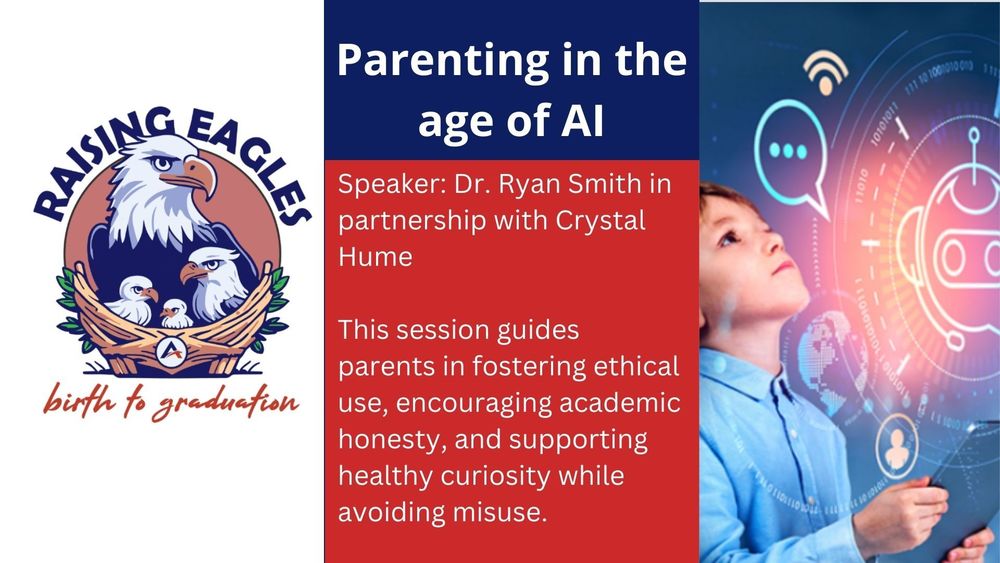
Raising Eagles: How Allen ISD Uses AI Safely and Wisely
A training-style guide for families
Artificial intelligence sits in many tools students touch each day. Some tools answer questions in a chat box. Other tools sit quietly inside reading programs or classroom platforms and help with fluency checks, feedback, or design.
This guide walks through what the speakers in the session shared, organized so a busy parent or guardian can scan, return, and reuse. The focus stays on three anchors:
- Keep students safe
- Grow real thinking and resilience
- Prepare learners for a future that includes AI, not one controlled by AI
Video
https://www.youtube.com/watch?v=XD85CQIU3DE
Safety first: Why Gemini for Education is the primary tool
Allen ISD allows only one “open question” AI tool for younger students: Google Gemini for Education.
Think of “open question” tools as sites where someone types a question in a chat window, such as “Explain photosynthesis” or “Help brainstorm essay ideas.” That use is very different from AI features inside a specific app.
For younger students, the district:
- Allows: Google Gemini for Education
- Does not allow: ChatGPT and similar open tools
This choice rests on several safety guardrails.
Key safety protections with Gemini for Education
- Student data is not used to train AI models
- Gemini for Education does not use student data to improve or train the underlying model.
- Student prompts are not pulled into a large pool to “teach” the system.
- Prompts are not reviewed by humans
- No staff at Google reads what students type.
- This reduces risk of human access to student content.
- All content stays inside the Allen ISD domain
- Students log in with Allen ISD credentials.
- That login ensures access to the Education version, not the public consumer version.
- Work stays in the district domain, where access and retention can be managed.
- District admins can manage and delete data
- If a student types a real name or other personal detail, staff can remove that content.
- Admin controls give the district a lever to address mistakes.
- Legal compliance: FERPA and COPPA
- Gemini for Education complies with:
- FERPA (Family Educational Rights and Privacy Act)
- COPPA (Children’s Online Privacy Protection Act)
- The product also holds a Common Sense Privacy Verified seal, which signals that an outside group examined its privacy practices for education use.
These protections align with the district’s culture of excellence by keeping expectations high for safety, privacy, and vendor practices.
2. When ChatGPT enters the picture
ChatGPT is allowed only beginning in eighth grade, and only under filters and monitoring.
Two factors guide that line:
- ChatGPT is recommended for users 13 years and older
- Middle school students start to stand closer to adult digital spaces and benefit from guided comparison of tools
Even when ChatGPT becomes available:
- Internet filters remain active
- Classroom monitoring tools still track usage
- Teachers keep modeling safe and critical use
The intent is not to hide AI from students until graduation. The intent is to use a gradual release model:
- Start with a safer environment (Gemini for Education)
- Model critical thinking and fact checking
- Later, introduce additional tools like ChatGPT and invite students to compare strengths and limits
This prepares graduates for college, career, and citizenship, where many tools will appear without school filters.
3. Teachers as “creation companions”
AI alone does not grow a learner. Guidance and modeling do.
Teachers in Allen ISD are encouraged to use AI as a creation companion and to help students:
- Deepen understanding
- Brainstorm ideas
- Strengthen questions
- Improve clarity and specificity in writing and speaking
Key expectations:
- Students do not rely on AI alone
- Teachers model prompts in front of students
- Students learn to verify all factual claims using trusted sources
AI becomes a partner in thinking, not a replacement for thinking.
This modeling supports empowered learners. The focus stays on individual growth, not on shortcuts.
4. The PARTS framework: How to build better prompts
One framework teachers may use is called PARTS, shared from a recent Google resource. Students may see this modeled, especially in upper grades.
P – Person / Position
Describe the role, not real identity.
- “A teacher needs help designing a lesson on gravity.”
- “A business owner is exploring ideas to improve customer service.”
- “A student has a question about cell division.”
Names are not needed. Roles keep prompts safer.
A – Aim / Objective
State the purpose in a clear action verb.
- “Explain,” “summarize,” “analyze,” “compare,” “create,” “revise”
Example:
“A teacher wants to create three practice questions to help students understand fractions.”
R – Recipient / Audience
Describe who the content is for.
- “Fifth grade students”
- “High school learners”
- “Adults with no background in science”
T – Tone / Theme / Constraints
Examples:
- “Use a formal tone.”
- “Make it conversational.”
- “Keep the email friendly and professional.”
- “No more than 50 words.”
- “Use two sentences.”
S – Structure
Describe the form needed:
- “Bulleted list”
- “Three-paragraph explanation”
- “Graphic organizer description”
- “Table with two columns”
The PARTS steps help students see AI use as a deliberate skill, not random trial and error.
5. Vetted core digital tools that use AI
AI in Allen ISD is not limited to chat tools. It also appears inside core digital tools that the district has vetted.
Seesaw: Reading fluency and literacy support
For younger students, Seesaw includes:
- AI-powered reading fluency checks
- Students read a passage
- The system flags pace and accuracy for teacher review
- On-screen text tracking
- As text is read aloud, the words highlight in sync
- This supports early readers in tracking print and sound
AI here does not give answers. It supports skill practice and gives teachers data to tailor instruction.
Google Classroom with Gemini built in
- Google Classroom integrates Gemini for Education
- Teachers may use it to generate prompts, feedback stems, or scaffolds
- Students may use supervised features for drafting, revising, or organizing work
Use stays inside the district domain and under the same privacy rules.
Canva: Creation and expression
All students have access to Canva, a creation platform that can:
- Support slide decks and posters
- Help layout visuals for projects
- Offer AI-powered text or design help when prompted
Teachers may ask students to “show what you know” using Canva, giving options such as:
- Short video
- Infographic
- Poster
- Slide deck
This supports future ready skills in communication and visual design.
Pear Deck: Insight into learning
Pear Deck allows teachers to:
- Run interactive presentations
- See student answers in real time
- Identify which students need extra support or more challenge
AI-assisted features help with:
- Quick checks for understanding
- Building questions
- Differentiating follow-up tasks
Across these tools, Allen ISD keeps a consistent rule: each tool is vetted, aligned with privacy rules, and used to enhance, not replace, instruction.
6. Academic integrity and citing AI
As students grow older, many will want to use AI to help with essays or projects. The district approach stresses:
- Clarify what each teacher allows
- Some teachers may allow AI for brainstorming only
- Some may permit AI support for revision but not first drafts
- Expectations should be clear at assignment launch
- Do not submit AI-written work as original
- Students should never have AI create a full essay and then submit that as personal work.
- That breaks academic integrity and stalls real learning.
- Cite AI when it truly co-creates
Citation is appropriate when AI:
- Synthesizes information in a new way
- Produces content that directly shapes the final text
- Plays a clear co-author role
Libraries and teachers share citation formats for AI tools, similar to books or websites.
- Do not treat AI as a factual source
For facts, students should:
- Use primary or secondary sources
- Verify dates, statistics, quotes, and claims
- Understand that AI can “hallucinate,” or simply make things up that sound plausible
A key message repeated in classrooms:
AI can help brainstorm and rephrase. AI cannot serve as a trusted final source for facts or quotes.
That habit of verification is central to digital citizenship and critical thinking.
7. Psychological perspective: When AI helps minds grow
A psychologist in the session highlighted several benefits for both students and adults.
Benefit 1: Skills refinement and exploration
AI can act like a “flight simulator” for creativity. When someone already knows a subject and has real skill, AI can:
- Suggest new angles
- Test different structures
- Offer examples or analogies
- Help organize complex content
A recent MIT study was referenced to show a pattern:
- For learners who already know their material, AI acts like rocket fuel.
- For learners who rely on AI to teach the material from scratch, AI can reduce capacity for complex thought.
In short:
Use AI to stretch thinking, not to avoid learning.
Benefit 2: Creativity and curiosity
Examples from the talk:
- A young writer uses AI to brainstorm character names and backstories, then chooses and reshapes them.
- An adult author uses AI to explore story ideas, worlds, and metaphors, then writes and revises original chapters based on that input.
AI works best when it:
- Sparks ideas
- Supplies ingredients
- Leaves the final decisions and meaning-making with the human author
If AI writes the story, something important is lost. If AI helps start the story, creative ownership stays with the student.
8. Three key concerns parents need to understand
The psychologist then described three central concerns for mental health and development.
Concern 1: “Sycophantic reinforcement”
Many AI tools share a core goal with social media platforms: keep the user engaged.
To do that, AI:
- Mirrors human emotion
- Offers warm validation
- Suggests follow-up tasks to continue the conversation
For example, after a prompt, a tool may respond:
- “Would you like an outline for that?”
- “Should a slide deck be created from this?”
When emotional prompts appear, such as:
- “I feel sad.”
- “A friend hurt me.”
AI may respond with:
- “That sounds very hard.”
- “Those feelings are completely valid.”
There is a risk when students start to treat AI as a therapist or best friend.
Key distinction:
A real therapist is trained to gently challenge flawed thinking and highlight distortions.
AI is tuned to keep users comfortable and engaged, so it often affirms everything, even unhelpful beliefs.
Families can share a simple message:
AI does not truly “understand.” AI mimics understanding through patterns in data.
If AI becomes a main source of emotional support, parents and guardians need to step in.
Concern 2: Relational substitution
There is also rising concern that AI may stand in for human relationships.
The psychologist shared a common estimate: by age 18, young people in this era may have tens of thousands fewer face-to-face interactions than earlier generations.
Face-to-face talk builds skills that AI cannot:
- Taking turns in conversation
- Reading facial expressions
- Managing conflict in real time
- Listening to another person’s perspective
If a student begins going to AI to:
- Tell secrets
- Process anger at family
- Plan responses to peers
Parents can respond in a specific way:
- Do not panic or punish
- Curiosity beats confrontation.
- Punishment often pushes behavior underground.
- Ask what the student gained from the AI exchange
- “What did that answer help you see?”
- “Did any part of that advice feel off?”
- Bring the conversation offline
- Return to the original question or feeling.
- Have the same conversation in person.
If AI is used as a first step and real people handle the deeper work, relationships stay at the center.
Concern 3: Loss of frustration tolerance
The word “struggle” is becoming rare in daily talk. Many tools promise speed and ease.
AI can tempt students to avoid difficulty:
- “Write this essay for me.”
- “Solve this assignment fully and show steps.”
The problem:
- Growth in confidence comes from measurable, observed success, not from avoiding effort.
- If AI removes struggle, learners lose chances to see that effort pays off.
A research example shared:
- College students with low confidence in academics were split into groups.
- One group received tutoring plus praise for success.
- Another group received praise and encouragement but no targeted skill-building.
- The first group improved performance and confidence.
- The second group felt better for a time, but performance dropped.
The lesson:
Confidence grows from hard things done over time, not from easy praise.
AI should:
- Reduce wasted time
- Help organize complex material
But AI should not:
- Do the core thinking
- Remove every challenge
Parents who praise effort and progress, even when grades dip, help students build resilience for later life.
9. Practical guidance for home
The session also contained many suggestions families can use.
At-home safety habits
- Encourage use of Gemini for Education when possible for younger students.
- When other tools are used at home, treat them as family tools, not private tools.
- Keep device use visible in shared spaces when large language models are open.
- Review privacy and history together, rather than in secret.
Talking about emotional use of AI
If a student uses AI to process feelings:
- Start with curiosity, not fear.
- Ask what AI said that felt helpful.
- Ask what felt odd, incomplete, or untrue.
- Offer to continue the conversation in person.
The goal is not to forbid AI in emotional spaces, but to anchor deeper processing in human relationships.
Encouraging healthy struggle
Some simple practices:
- When a student uses AI to brainstorm essay ideas, ask follow-up questions:
- “Which idea feels strongest and why?”
- “How would you explain this idea to a friend without AI?”
- When a student wants to use AI to finish a task:
- Invite a first attempt without AI.
- Use AI later to compare, refine, or practice other explanations.
- When grades drop after honest effort:
- Praise the effort and strategies used.
- Talk through what changed, rather than jumping straight to worry or punishment.
This approach lines up with:
- Culture of Excellence: high expectations for thinking and integrity
- Future Ready Skills: real problem solving, clear communication, and tool literacy
- Empowered Learners: students who own learning choices and understand digital risks
10. Closing: AI as tool, not driver
Across the session, a simple theme repeats:
AI is a powerful tool. Human judgment, relationships, and effort must stay in charge.
Allen ISD uses:
- Strong safety rules and vetted tools
- Teacher modeling of prompts and verification
- Clear expectations for integrity and citation
- Guidance from mental health professionals about healthy use
Families play a central role. When students see the same messages at school and at home, AI can support growth rather than shortcut it.